7 Best Simple Ham Logbooks for Easy Contact Logs

7 Best Simple Ham Logbooks for Easy Contact Logs

A good contact log should not feel like another piece of station equipment that needs a manual, a tutorial series, and an afternoon of setup before you can use it. The best simple ham logbooks let you finish a QSO, enter the details, and get back to operating. That is the whole point.

For some operators, a full-featured logging suite is exactly right. They chase awards, upload to several services, control radios from the computer, track propagation, print labels, and keep detailed station records. But plenty of hams just want a dependable record of who they worked, when they worked them, and what band or mode they used. If that sounds like you, simple is not a compromise. It is a requirement.

What “simple” should mean in a ham logbook

Simple does not mean flimsy. It means the program keeps the routine work routine. You should be able to open the log, add a contact, find an older call sign, correct a typo, and make a backup without wondering which of twenty menus holds the function you need.

The best simple ham logbooks usually share a few traits. The contact-entry screen is clear. The fields match the information you actually use. Searching is fast. The database stays on your own computer, where you can keep a copy of it. And when something goes wrong, there is a sensible way to get help.

A simple program also respects the way people operate. A casual ragchew operator may not need satellite tracking, contest exchanges, rotor control, a cluster window, or dozens of award tables appearing every time the program starts. Those are useful tools for the operators who need them. They can also make an ordinary contact entry feel more complicated than it should be.

7 things to look for in the best simple ham logbooks

1. A contact screen you can understand at a glance

When you finish talking with a station, you do not want to hunt around for the call sign box. A good basic logbook puts the common fields front and center: call sign, date, time, frequency or band, mode, name, location, and notes.

The exact fields depend on your operating style. If you work mostly local nets, you may care about a signal report and a short note. If you work HF, band and mode may matter more. The right program should make common entries easy without forcing you to fill in information you do not need.

2. Fast call-sign lookup and search

Your log becomes more useful with every QSO only if you can find records later. Before calling a station, it is handy to know whether you have worked that call before. Afterward, you may want to look up the last conversation, confirm a date, or find a contact for a card or certificate.

Look for straightforward search tools. You should be able to search by call sign and see the results without building a report or learning database language. Searching by date, band, mode, or name is helpful too, but call-sign search is the everyday test.

3. A workflow that does not demand constant configuration

Many logging programs are built to cover every operating situation. That is an ambitious goal, and it often creates screens full of settings. If you enjoy tuning every option, that may be part of the fun. If you would rather turn on the radio, it can become a chore.

The best choice is the one that fits your actual station, not the one with the longest feature list. Ask yourself a plain question: Can I enter my first real contact in a few minutes? If the answer is no, the software may be solving problems you do not have.

4. Records you can correct without fear

Mistakes happen. A call sign gets transposed, a band is entered wrong, or you remember a useful note after saving the contact. Your logbook should let you find and edit a record easily.

This sounds basic, but it matters. Some systems make editing feel risky because the record is buried behind layers of windows. A simple log should make corrections ordinary. Your recordkeeping does not have to be perfect to be worthwhile, but it should be easy to keep accurate over time.

5. Backups that are practical

A logbook is part of your station history. It may contain years of contacts, old friends, rare catches, net check-ins, and the details you need to verify a QSO. That makes backups more important than flashy features.

You do not need an elaborate IT plan. What you need is a clear way to copy your log data somewhere safe, such as another drive or a trusted backup location. Before choosing any software, find out where the data is stored and how you will make a copy. If the answer is unclear, keep looking.

It is also smart to make a backup before installing a new version or making a large batch of edits. A good program makes that common-sense habit easy rather than treating it as an expert-only task.

6. Support from someone who understands ham radio

Software support is often the difference between a program you keep and one you abandon. A generic help desk can be frustrating when your question is really about logging a net, importing older contacts, or getting the program installed on the computer in your shack.

For operators who do not want to troubleshoot software, personal help matters. HamLogBook was created by Kevin Rea, K6REA, as a focused desktop log for operators tired of overcomplicated logging programs. At $9.95, it includes hands-on remote installation and usage support through Splashtop, with a refund option if it does not work out. That kind of direct accountability is worth considering, especially if computers are not the part of amateur radio you enjoy most.

7. A price that matches the job

Price is not the only consideration, but it should make sense. A simple logbook does one important job: it keeps your contacts organized and available. Paying for a large package of features you will never use is not always a better value.

A low one-time price can be appealing because it is easy to understand. On the other hand, a free program may be fine if it truly fits your needs and you are comfortable handling setup and support on your own. The key is not whether a logbook costs money. The key is whether it saves you time and gives you confidence in your records.

Paper, spreadsheet, or software?

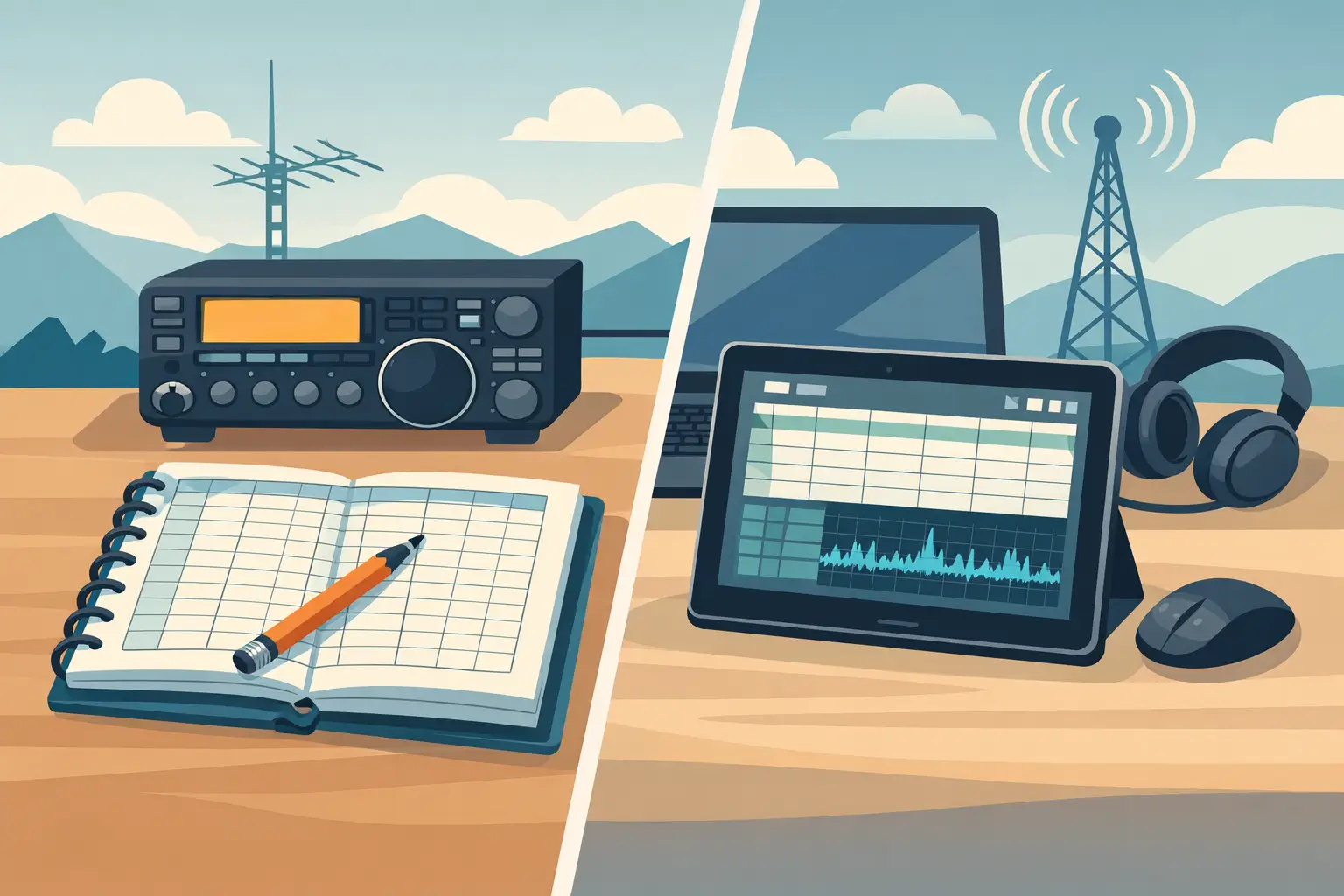
A paper log is still a perfectly respectable place to start. It never needs an update, and many operators enjoy writing contacts by hand. The drawback appears when you want to find every time you worked a call sign, sort contacts by band, or correct an entry without making a mess of the page.

A spreadsheet offers more flexibility and can work well for a small, organized log. But it asks you to build your own system. You decide the columns, protect the file, handle dates and times consistently, and create searches that make sense later. It is simple at first, then often becomes less simple as the log grows.

A dedicated desktop logbook sits in the middle. It is designed around radio contacts, so the basic structure is already there. You get the convenience of searching and editing without having to build a database yourself. For many hams, that is the comfortable answer.

Choose for the way you operate now

There is no single best logbook for every amateur operator. A contester with several radios and a detailed award plan needs something different from a retired operator checking into a morning net, a new Technician making first contacts, or an HF operator who simply wants a clean personal record.

Start with your normal week on the air. Think about the information you write down after a QSO. Think about what you look up before calling someone back. Then choose the simplest tool that handles those tasks reliably.

Your logbook should support the radio time, not compete with it. If entering a contact feels easy enough that you do it every time, you have found the right kind of simple.

Microsoft Access Ham Radio Logbook That Stays Simple

Microsoft Access Ham Radio Logbook That Stays Simple

A logbook should not get in the way of making contacts. You call CQ, work a station, exchange the information you need, and want to get the QSO recorded before the next caller comes back. That is the appeal of a Microsoft Access ham radio logbook: it can keep your records in a familiar database without turning every contact into a software project.

I have been developing databases in Microsoft Access since 1992, and I am also a ham, K6REA. Over the years, I saw plenty of radio logging programs that could do nearly everything imaginable. The trouble was that many of them asked the operator to learn nearly everything imaginable, too. For a lot of hams, especially those who simply want a dependable station log, that is more work than the job calls for.

Why a Microsoft Access Ham Radio Logbook Makes Sense

Microsoft Access has been around a long time because it handles structured information well. A ham radio log is structured information. Every QSO has fields such as date, time, call sign, band, mode, signal report, name, location, and notes. A database gives those details a sensible home, where they can be entered consistently and found later.

That matters when the log grows. A handwritten notebook has its place, and many of us started there. But looking up a station you worked three years ago, checking how often you have used a particular band, or correcting a call sign is much easier when the information is searchable. You should be able to find a contact without flipping through pages or trying to remember which notebook was on the desk that season.

Access is also a good fit for operators who use Windows and appreciate a straightforward desktop program. The log is on the computer in front of you, rather than requiring you to work through a browser window or depend on an internet connection just to enter a contact. If your station computer is a simple, dedicated Windows machine, that can be a real advantage.

The point is not that every ham needs Access or needs a large database system. The point is that a well-made Access logbook can do the basic job clearly: record contacts, keep them organized, and let you retrieve useful information when you need it.

Simple Logging Is a Feature, Not a Limitation

There is a tendency in software to treat a longer feature list as proof that a program is better. For some operators, it is. A serious contester may need rapid keyboard entry, networked multi-operator stations, specialized scoring, rig control, live spotting, and contest-specific exchange handling. Someone pursuing digital modes or large award programs may want a different set of tools.

But those needs are not universal. If your regular operating includes ragchews, local nets, casual DX, POTA activations, or simply getting on the air when time allows, the best logging program may be the one that does not ask you to configure a dozen things before you can enter your first call.

A simple logbook is not a lesser logbook. It is a program with a clear job. When the entry screen presents the information you normally record, the process becomes routine. You spend less time wondering which box matters and more time listening for the next station.

There is a trade-off, of course. A focused program will not try to replace every radio application on your computer. That is by design. If you want one package to control radios, map propagation, manage a contest team, and produce every possible report, a broader suite may suit you better. If you want your contact records handled without a steep learning curve, simplicity becomes a strength.

The Practical Value of a Local Log

A local desktop logbook gives you a feeling of ownership that many operators appreciate. Your log is your station record. You can review old contacts, add notes after a conversation, correct an entry, and keep your data organized without wondering whether a website has changed its layout or whether a service is having a bad day.

That does not mean a local log requires no care. Any digital log should be backed up. A computer can fail, a drive can wear out, and an accidental deletion can happen to anybody. Make a copy of your log file on another drive, a USB device, or another backup location from time to time. The best backup is the one you actually make before you need it.

It also helps to develop a consistent entry habit. Decide how you want to record names, locations, signal reports, and notes, then generally stick with it. Consistent information makes later searches more useful. If you always enter a state one way and a city another way, the database can only work with what it is given.

You do not need to turn logging into paperwork. A useful note can be as short as “first contact,” “mobile,” “great antenna discussion,” or “met at club meeting.” Years later, those few words can tell you more about the QSO than a screen full of fields you never intended to use.

What to Look for Before Choosing a Logbook

Before installing any logging program, think about your actual operating routine. Do you primarily want to enter contacts one at a time? Do you want to search prior QSOs by call sign? Is your station computer running Windows? Are you comfortable setting up software on your own, or would you rather have a person help get it working?

Those questions are more useful than comparing a giant checklist of features. Software is only helpful when it fits the operator. A program that is perfect for a high-volume contest station can be frustrating for a new General-class operator who wants to log a few enjoyable contacts each week.

Also consider the support behind the program. Software problems are rarely convenient. They show up when an update changes something, a computer is replaced, or an operator is simply trying to get started. Generic help pages can solve some problems, but they do not always replace having someone take a look at the actual computer.

That is why I keep the approach personal with HamLogBook. It is a focused desktop logging program built in Microsoft Access, priced at $9.95 as a one-time purchase. If installation or use becomes a hurdle, I can connect remotely through Splashtop and help directly. If it is not right for you, there is a refund option. I would rather help a fellow ham get a workable log than leave them staring at a setup screen.

Keep the Radio at the Center of the Station

A logbook is part of the station, but it should not become the center of the station. The radio, the antenna, the conversation, and the satisfaction of making a contact come first. Good logging software supports that experience quietly.

For some hams, a Microsoft Access-based logbook will be exactly the right balance of structure and simplicity. For others, especially operators with specialized contesting or automated digital-mode requirements, it may not be the best match. There is no prize for choosing the most complicated program. The right choice is the one you will use consistently.

Start with the contacts you are making now. Keep the fields you care about, back up the log, and make the entry process easy enough that you do it every time. A clear record of the people you worked and the conversations you had becomes more valuable with every QSO.

Paper Versus Digital Ham Logbook Choices

Paper Versus Digital Ham Logbook Choices

The choice between a paper versus digital ham logbook usually comes up at the same moment: you have just finished a good QSO, the next station is calling, and you need to write something down before the details disappear. A notebook is right there. A computer may already be running. Neither choice is wrong, but each changes how easily you can find, protect, and use your contact history later.

I have talked with hams who keep decades of careful handwritten records and others who would not want to operate without a searchable computer log. The best answer is not the one with the most features. It is the one you will actually use every time you get on the air.

Paper versus digital ham logbook: the real difference

A paper logbook is immediate. Open it, write the date, time, call sign, frequency, mode, report, and a short note if you want one. There is no sign-in screen, no software update, and no question about whether your computer is connected. For a new ham, that simplicity can be a relief. For an experienced operator working portable, it can be exactly what the situation calls for.

Paper also has a certain permanence. A well-kept notebook tells the story of your station in a way a spreadsheet rarely does. You may find notes about a first DX contact, an antenna experiment, or a local net that has long since gone quiet. If you enjoy the physical record, that matters.

The trouble starts when you need information from the book rather than merely a place to put it. Finding every contact with one call sign means turning pages. Checking whether you worked a state, country, grid, or band can take time. Correcting an entry must be done neatly enough that the log remains readable. And a paper book has only one original copy unless you make an effort to scan or photocopy it.

A digital logbook turns those same contact details into records you can search and sort. Enter a call sign and see previous QSOs. Filter by date, mode, or band. Correct a typo without crossing out a line. Make a backup copy on a flash drive or another computer. For operators who make regular contacts, work awards, or simply want to answer the question, “When did I last work that station?” these are practical advantages, not computer gimmicks.

Still, digital logging is not automatically easier. A complicated program can turn a basic QSO into a screen full of fields, tabs, setup choices, and features you never asked for. If logging software gets in the way of operating, it has missed the point.

When a paper log makes the most sense

Paper is a good fit when your operating is occasional, portable, or deliberately simple. A notebook is dependable during a power outage, at a field location, or beside a radio that is not connected to a computer. It is also useful when you are learning. Writing down the pieces of a contact helps many newer operators develop a comfortable on-air routine.

Some hams prefer paper because it keeps the station free of another screen. That is a reasonable preference. Amateur radio is a hands-on hobby, and not everyone wants a keyboard between them and the rig.

The important part is consistency. Choose a format with room for the information you want to preserve. At a minimum, most operators record date, time in UTC, call sign, frequency or band, mode, and signal report. A name, location, grid square, or short note can be useful too. Use ink that will last, write clearly, and keep the book somewhere dry and safe.

If your paper log is your only log, consider creating a backup routine. Scanning completed pages once a month is not exciting work, but it protects years of contacts from a spilled drink, a lost notebook, or a basement leak. A photo stored only on your phone is better than nothing, but a copy on a computer or external drive is safer.

When digital logging earns its place

A digital logbook begins to pay off as your records grow. The value is not just faster entry. It is being able to retrieve your own information without guessing which notebook holds the answer.

Suppose a familiar call sign comes back to you after two years. A searchable log can show your last QSO, the band you used, and any notes you entered. If you are tracking contacts for awards or confirmation services, a digital record also makes it much easier to review what you have worked and prepare your data when needed.

Digital records can be backed up in seconds, but only if you actually do it. Computers fail, hard drives fail, and a file on one machine is not a backup. Keep at least one copy separate from the computer where you log. A simple external drive or flash drive can be enough if you update it regularly. The method matters less than having a habit.

The other advantage is readability. No matter how tired you are after a busy net or contest, typed records remain easy to read months later. You can also add notes without squeezing words into the edge of a page.

The downside is that a digital log asks for a little basic computer care. You need to know where the log file is stored, how to make a copy, and what to do if the program does not open. Those tasks should be simple. If they are not, the software is asking too much of the operator.

A simple digital log is different from a complicated suite

Many logging programs are built to cover every possible operating style, radio connection, award, report, and automation option. Those tools may be right for an operator who needs them. But a program with a long setup process can be frustrating when your real goal is to record calls and keep a dependable station log.

That is why I built HamLogBook around the basic job: entering and managing amateur radio contacts without making you learn a large software suite first. It is meant for the ham who wants to log a QSO, look up a previous one, and get back to the radio. If installation or computer settings become a problem, I provide direct remote help rather than leaving you alone with a manual.

A simple program does not mean giving up control of your records. It means the common tasks are close at hand, and the extra complexity stays out of the way. Before choosing any digital logbook, make sure you can enter a contact quickly, search it later, and back up the data without needing a lesson every time.

You do not have to choose only one

For many operators, the best paper versus digital ham logbook decision is a hybrid approach. Keep a paper notebook at the operating position for quick notes, portable work, or emergency use. Then enter those contacts into a digital log after the session. This gives you the speed and resilience of paper along with the search and backup benefits of digital records.

The catch is delayed entry. If you wait too long, call signs and details can be mistyped or forgotten. Set a small rule for yourself: transfer contacts after each operating session, or at least before the end of the day. If you only make a few contacts each week, that is usually a very manageable routine.

Another approach is to log digitally during normal home-station operation and carry a paper log for field days, travel, and outages. When you return home, enter the paper contacts and file the pages. This works especially well for hams who want digital organization without depending on a laptop at every location.

Choose the method that keeps you on the air

Do not choose paper because it feels traditional if searching old contacts has become a chore. Do not choose digital because it sounds modern if the program makes you hesitate before logging a simple QSO. Your logbook should support your operating style, not become another project waiting on the desk.

Try a practical test. After your next ten contacts, ask yourself three questions: Was it easy to record each QSO while operating? Could you find a contact from last month without fuss? Do you have a copy that would survive a lost notebook or failed computer? Your answers will point you in the right direction.

Whatever you use, make the first entry today and make the next backup soon after. A logbook becomes valuable one ordinary contact at a time.

How to Replace Complex Ham Logging Software

How to Replace Complex Ham Logging Software

You sat down to make a few contacts, not to spend the evening configuring database fields, reading a manual, or figuring out why a logging program wants information you never planned to track. If you want to replace complex ham logging software, the right answer may be much simpler than another feature-packed suite.

For many hams, a logbook has one job: record the contact accurately so you can find it later. Callsign, date, time, band, mode, name, location, and a few notes often cover what matters. A program that turns that basic job into a project can take the fun out of operating.

When Your Logging Program Is Getting in the Way

Complex logging software is not automatically bad software. Some operators need advanced contest tools, detailed award tracking, station automation, digital-mode integration, propagation analysis, and large custom reports. If those are part of your regular operating routine, a full-featured program may be worth the learning curve.

But plenty of operators do not need all that. They need to log contacts after a relaxed rag chew on 40 meters, keep a record of a net check-in, or look up the fellow they worked from Arizona last month. When the program presents dozens of screens and settings before it will do that, it is reasonable to ask whether it fits the way you operate.

The warning signs are usually practical. Maybe you put off entering contacts because the process feels tedious. Maybe you are afraid to change a setting because you do not know what else it will affect. Maybe you installed a program, looked at the screen, and decided paper was easier. None of that means you are bad with computers. It may simply mean the software was designed for a different kind of user.

What to Keep When You Replace Complex Ham Logging Software

Changing log programs does not mean giving up a dependable record of your station activity. It means deciding which parts of the record are truly useful to you.

Start with the information you enter for nearly every QSO. For most casual and everyday operators, that means the other station’s call sign, date and time, band, mode, signal report, name, QTH, and notes. You may also want a way to search prior contacts so you can quickly see when you last worked someone.

Then consider how you actually enter a contact. A good basic log should let you move through the fields in a natural order without forcing you to complete a long form. If you normally jot down a call and details while the QSO is still fresh, the entry screen should support that habit, not interrupt it.

Reliability matters more than a flashy dashboard. Your log is part station diary, part operating record, and often a reminder of people you have met over the air. Look for software that makes it clear where your data is stored and allows you to maintain a backup. A simple program is not a throwaway program. It should still help you protect the contacts you have worked hard to make.

Simplicity Is Not the Same as Missing Features

There is a common assumption that a simpler logbook is only for new hams. I do not see it that way. Experienced operators often know exactly what they want, and just as importantly, what they do not want.

A program can be focused without being flimsy. The difference is whether it handles the essentials well. Can you add a contact without hunting through menus? Can you correct an entry later? Can you find a call sign quickly? Can you keep the log organized without becoming a database administrator? Those are meaningful features for a working ham station.

Think about the difference between owning a tool chest and carrying every tool to the bench for a small repair. Both have their place. But for an ordinary job, the tool you can pick up and use right away is usually the one that gets used.

Make the Change Without Creating Another Project

Before you switch, take a little time to understand your existing log. Find out whether it can export your contacts in a common format, and make a backup before changing anything. Even if you never import every old contact into a new program, that backup gives you peace of mind.

Next, try the new workflow with a few sample entries. Enter a recent QSO, look it up, make a correction, and see whether the screen makes sense without a tutorial. The first few minutes tell you more than a long list of features. If the process feels obvious, you are probably on the right track.

It also helps to be honest about your operating plans. A program that is perfect for casual HF contacts may not be the best choice for a serious contest weekend. That is fine. You do not have to choose software based on the most demanding activity you might possibly try someday. Choose it for the operating you do now and expect to do most often.

For a lot of hams, the best arrangement is a straightforward daily log and a separate specialized tool only when a special event or contest calls for it. That approach keeps ordinary operating easy without closing the door on occasional advanced work.

Do Not Underestimate Good Human Support

Software support is part of the product, especially when a computer problem is standing between you and your radio. A low-priced program is not much of a bargain if you are left alone with an installation issue or a question about your own records.

Before buying, ask a plain question: if I get stuck, can I reach a real person who understands both the program and amateur radio? Documentation is helpful, but it cannot always replace someone who can look at the problem with you.

That personal help is why I created HamLogBook. I am Kevin Rea, K6REA, and I built it for operators who want to log contacts without carrying around a pile of features they will never use. The program is built in Microsoft Access, with the same practical database mindset I have used since 1992. If installation or use becomes a problem, I can connect remotely through Splashtop and help get things sorted out.

That kind of support will not matter to everyone. Some hams enjoy solving every computer issue themselves, and more power to them. But if you would rather spend your spare time calling CQ than troubleshooting an installer, direct help can make a real difference.

A Better Test Than a Feature List

When comparing logging programs, do not start with the biggest feature list. Start with a normal evening at your station. Imagine making three contacts, entering them while the details are fresh, then searching for one of those call signs next week. Could you do all of that comfortably?

If the answer is yes, the program is doing its job. If the answer is no because you need to configure, customize, or study it first, it may be more software than you need.

There is nothing wrong with choosing the uncomplicated path. Amateur radio already offers plenty to learn: propagation, antennas, operating practices, new bands, new modes, and the people on the other end of the signal. Your logbook should quietly preserve those contacts, then get out of the way so you can make the next one.

How to Maintain Ham Radio Contact History

How to Maintain Ham Radio Contact History

A contact log starts out as a handy record of who you worked last weekend. A few years later, it can become the only place you can answer a question about a rare station, confirm a previous QSO, or look back on the first contacts from a new antenna. To maintain ham radio contact history, you do not need a complicated system. You need a routine you will actually follow and records you can still open when the computer changes.

That sounds simple, but many operators get tripped up by logging programs that ask them to configure far more than they need. The result is often a partially filled log, notes written on scraps of paper, and a file sitting on one computer with no backup. A good contact history should make operating more enjoyable, not turn every QSO into paperwork.

Start with the records that matter

For most everyday contacts, the foundation is straightforward: date, time, call sign, band, mode, signal report, and frequency if you want it. Your own call sign and the station’s location may also be useful, especially if you operate from more than one place or track awards.

The most important point is consistency. Pick a time standard and stay with it. UTC is generally the safest choice because it avoids confusion when you compare your record with another operator’s log. If your software shows local time, make sure you know which time is being stored.

A short note field is worth having. This is where the human part of amateur radio belongs: the operator’s name, a special event, equipment discussed, weather, or a reminder that you met them at a club meeting. Do not feel obligated to write a paragraph for every contact. Add notes when they will mean something later.

There is a trade-off here. Logging every possible detail can be valuable for serious contesting, award tracking, propagation research, or stations that need very specific reports. But if extra fields slow you down enough that you stop logging, they are not helping. A complete basic record beats an elaborate half-finished one.

Build a contact history you can trust

The best time to enter a contact is right after the QSO. The details are fresh, the call sign is still on the display or in your notes, and there is less chance of mixing up band or mode. If you operate mobile, portable, or in a busy net, write the essentials down first and enter them when you are safely off the air.

Avoid keeping one pile of paper notes for later without a deadline. “Later” has a way of becoming next month. A practical habit is to enter any paper contacts after each operating session, or at least once a week. Put the papers beside the keyboard until they are logged, then file them or discard them once you have checked the entries.

Before saving a new record, give it a quick glance. Call signs deserve special attention. One wrong character can make a contact difficult to find and may prevent a match with the other station’s record. Check the date when a QSO runs across midnight UTC. Check the mode when you switch quickly between SSB, CW, digital, or FM.

You do not need to inspect every entry like an accountant. A ten-second review is enough. The goal is not perfection. It is preventing the small mistakes that become mysteries five years from now.

Keep one main log

Many hams end up with contacts scattered among a notebook, a spreadsheet, an old logging program, a contest logger, and an online service. That can work temporarily, but it makes finding the full story of a call sign much harder.

Choose one primary log as your home record. Other tools may still have a purpose. A contest program may be better during a fast event, and an online confirmation service may be useful for awards. Afterward, bring the contact records back to the main log so your personal history remains in one place.

If you have old paper logs or files from another program, do not let the size of the task stop you. Start with your current operating log. Then add older records in manageable batches when you have time. Even entering one year of old contacts over a few evenings is better than leaving everything in a box indefinitely.

Back up your ham radio contact history

A logging file on one computer is not a backup. Hard drives fail, laptops get replaced, and an accidental click can overwrite information you meant to keep. Your contact history deserves the same care you would give station photos, a family document, or a favorite rig’s manual collection.

A simple backup plan has at least two copies in different places. For example, keep the active log on your computer and copy it regularly to an external drive or USB drive. Keep another copy somewhere separate from the computer, such as a secure cloud storage folder or a second drive stored elsewhere.

The backup does not have to be fancy. What matters is that it happens regularly. If you log every day, make a copy every week. If you operate a few times a month, back up after each session or after a busy weekend. Before a major software update, Windows update, or computer replacement, make an extra copy first.

Here is a small routine that works well for many operators:

  • Save your log after each operating session.
  • Make a dated backup copy at least once a month.
  • Keep one recent copy away from the main computer.
  • Open a backup occasionally to confirm it is really usable.

That last step is easy to overlook. A backup you cannot locate, open, or restore is only a hopeful idea. Name copies clearly, such as `HamLog_2026-08-21`, rather than relying on vague file names like “new log” or “final final.”

Plan for the next computer

At some point, every computer is replaced. The easiest way to protect your history is to know where the log data lives and how to move it before the old machine is gone. Keep the program installer, license information, and a current backup together in a folder you can find.

It is also wise to keep a portable copy of your contacts in a common radio-log exchange format when your logging program supports it. That gives you an additional path to your records if you later change software or need to recover data. Think of it as keeping your own key to the logbook, rather than tying your history to one computer forever.

Before retiring an old PC, install your logging program on the new one, copy the data, and compare a few familiar contacts. Search for a station you worked years ago, check the total number of records, and make sure recent notes are present. Do this while the old computer still works, not after it has been wiped or hauled away.

Make your records easy to find

A log is only useful if you can retrieve an answer quickly. Every few months, search for a few contacts you remember: a friend on a local net, a DX station, or the first QSO from a recent trip. This little exercise catches bad imports, duplicate logs, and incomplete data before they become a larger problem.

Use a consistent style for notes and locations. If you write “Field Day,” “FD,” and “fieldday” for the same event, searching later becomes less helpful. You do not need a rigid codebook, just a few habits. The same goes for portable locations, club names, and special-event call signs.

Duplicate contacts deserve some common sense. Two records may be legitimate if you worked the same station on different bands, modes, or dates. Exact duplicates created by an import or accidental double entry should usually be cleaned up. When you are unsure, preserve the original information until you understand what happened. Deleting first is rarely the best recovery plan.

Choose simplicity over unused features

A logging program should fit your operating style. If you enjoy detailed analytics and integrations, a larger suite may be the right answer. But if your real need is to record contacts, look them up later, and keep the file safe, simpler software can be the better tool.

That is the reason I built HamLogBook. I wanted an uncomplicated way to record amateur radio contacts without spending my operating time learning a crowded program. It is designed around the essential job of maintaining a usable log, and if installation or a setting gives you trouble, I can help remotely rather than leave you to sort it out alone.

Your logbook is more than a list of call signs. It is a record of mornings at the rig, first contacts, familiar voices, new countries, experiments that worked, and a few that did not. Give it a few careful minutes after you operate, make copies before you need them, and your history will still be there when the next good question comes over the air.

Callsign Database for Ham Contacts That Stays Simple

Callsign Database for Ham Contacts That Stays Simple

You work a familiar call on 20 meters, exchange the basics, and then wonder: Have we talked before? A callsign database for ham contacts should answer that question in a few seconds. It should not send you through a maze of setup screens, awards settings, online accounts, and fields you never plan to use.

For most operators, the useful database is not some giant collection of every call sign ever issued. It is your own reliable record of the people you have worked, when you worked them, what band and mode you used, and whatever notes will make the next contact more meaningful. That sounds simple because it is simple. The trick is keeping it that way.

What a Callsign Database Should Do at the Radio

A good contact log becomes more useful every time you add a QSO. Enter a call sign and you should be able to see whether it is already in your records. If it is, a quick look at the prior contact can tell you the date, band, mode, name, QTH, or notes you saved.

That history changes the feel of a contact. Instead of treating every station as a stranger, you can say, “Good to hear you again,” and know that you last met on 40 meters three months ago. For a casual rag chew, a net check-in, a park activation, or a local simplex contact, that little bit of context is often more useful than a screen full of statistics.

The basic fields matter most: call sign, date, time, frequency or band, mode, signal report, name, location, and notes. You may not need every field on every contact. That is fine. A logging program should let you record the information you have without making a blank field feel like a mistake.

A callsign database also helps with the practical question of duplicate contacts. Duplicate does not necessarily mean unwanted. You may work the same operator many times, and those contacts can be the whole point of the hobby. But seeing your history helps you avoid accidentally logging the same QSO twice, especially during a busy event or after returning to the radio following an interruption.

Your Log Is Different From a Call Sign Lookup

It is easy to mix up two different jobs. A public call sign lookup tells you what an outside source currently has on file for a call sign. Your logging database tells you what happened between your station and that operator.

Both can be useful, but they serve different purposes. A lookup may provide a name or mailing address, depending on the source and the operator’s country. It cannot tell you that you had a fine conversation with that person during last winter’s storm, that they run a particular antenna, or that you promised to listen for them on a certain net.

Your own notes are where the human part of amateur radio belongs. They are also where common sense matters. Log details you actually expect to use. A short note such as “met on county net” or “likes CW on 30m” can be valuable later. A dozen fields copied in automatically may just make the record harder to read.

Accuracy matters, too. A call sign can change hands, an operator can move, and outside databases can be out of date. If something looks wrong, do not let an automatic lookup override what you heard on the air. Confirm the call carefully, ask for a repeat when needed, and correct the log while the QSO is still fresh.

Keep the Contact Record in Your Control

There is another reason to value your own database: your log should remain available whether or not an internet service is running, a subscription changes, or an online account gives you trouble. A desktop log stored on your computer can be opened at the shack without depending on a web connection.

That does not mean you should never back it up. Quite the opposite. A contact database only helps if it survives a computer problem. Keep a copy on an external drive, another computer, or a backup service you already trust. Back up before major changes, before importing a large file, and occasionally after a good stretch of operating.

If you import records from another program, review a small sample first. Watch for dates in the wrong format, frequencies that do not match the band, repeated contacts, or notes placed in the wrong field. Imports can save a lot of typing, but they are not magic. A few minutes of checking can prevent a lot of cleanup later.

Build a Callsign Database for Ham Contacts You Will Use

The best setup is usually the one you can begin using tonight. Start with your existing log, even if it is a notebook, a spreadsheet, or a handful of printed pages. You do not have to perfect every old record before moving forward.

Enter new contacts consistently from this point on. Use the same approach for time, band, mode, and names. For example, decide whether your notes will say “Bob” or “Robert” when you know both, and stick with what makes sense to you. Consistency makes searches work better later.

Use notes with a light touch. A log entry is not a biography. Save details that help identify the contact or continue the conversation: a club, a net, a shared interest, a prior QSO, or a requested follow-up. If an entry is taking longer to type than the contact lasted, the process may be asking too much.

Search is the payoff. At some point, you will hear a call sign that sounds familiar. Being able to type it once and pull up your past contacts is far better than flipping through notebooks or hunting across several spreadsheet tabs. You can also search by name, location, band, or a word in your notes when you are trying to remember that operator from a particular net.

For operators who chase awards, make frequent DX contacts, or work contests, more detailed tracking may be worthwhile. There are excellent programs built for those purposes. But more features bring more decisions, more settings, and more ways for a simple logging task to get delayed. It depends on how you operate. If you mainly want a clean, dependable record of your QSOs, simple is not a compromise. It is the right tool for the job.

Avoid Turning Logging Into Another Project

I have spent enough time around databases to know that software can always offer one more field, report, or configuration option. The question is whether it helps you get back to the radio.

A useful logging routine is short: finish the contact, enter the important details, add a note only if it is worth keeping, and save. When the next station calls, you should be ready. You should not be wondering which menu contains the setting you forgot to configure.

That is the thinking behind HamLogBook. I built it as a straightforward way to record and manage ham contacts without the steep learning curve that comes with many larger logging suites. It is meant for operators who want their call sign history organized, readable, and close at hand, not buried under features they do not need.

If installing or moving a log feels like the hardest part, ask for help rather than letting the project sit unfinished. Technology should not be the barrier between you and a good record of your operating. A little direct assistance can be worth more than another long instruction manual.

A Database That Makes the Next QSO Better

The value of a callsign database is not in how many fields it can display. It is in the moment a familiar call comes back through the speaker and you can recognize the operator, recall your last contact, and pick up the conversation naturally. Keep a log that makes that moment easy, then spend the rest of your time where it belongs: on the air.

How to Organize Ham Radio Contact Records

How to Organize Ham Radio Contact Records

A good QSO can be over in a minute. The record of it may matter for years. Whether you are tracking a new state, confirming a contact later, applying for an award, or simply remembering who you worked on a quiet evening, the trick is to organize ham radio contact records while the details are still fresh.

The goal is not to build a giant database you dread opening. It is to keep a dependable log that is easy to enter, easy to search, and easy to protect. If your current method involves scraps of paper, a notebook beside the rig, and a spreadsheet you mean to update someday, a few simple habits can make a big difference.

Start with the information you actually use

Every ham has a different operating style. A casual local rag chewer does not need the same record as a DX chaser, a contest operator, or someone working digital modes. That is why the best log is not necessarily the one with the most fields. It is the one you will use consistently.

For most everyday contacts, record the other station’s call sign, date, time, band or frequency, mode, and signal report. Those are the basics that let you identify and find a QSO later. Depending on your interests, you may also want the operator’s name, location, grid square, power, antenna, or a brief note about the conversation.

Be honest about what you will enter while operating. If a field is not useful to you, leaving it out is often better than making every contact feel like paperwork. You can always add more detail later if your operating changes.

Use one consistent date and time format

A log becomes confusing fast when entries use several date formats or a mix of local time and UTC. Pick one method and stick to it. UTC is usually the practical choice for amateur radio records because it matches what other operators, awards, and confirmation systems expect.

Use a clear format such as YYYY-MM-DD and record time as 24-hour UTC. A contact entered as 2026-08-19 at 2147 UTC is unambiguous. “8/19 around ten” may make sense tonight, but it can be hard to interpret next year.

Decide how you will handle corrections

Mistakes happen. You may copy a call sign wrong, type the wrong band, or discover that your computer clock was off. The important thing is having a simple way to correct an entry without creating duplicate records.

When you fix a record, update the original rather than entering the QSO again. If a correction is based on a later confirmation, add a short note explaining it. That small habit can save a lot of head-scratching when you compare records later.

Create a routine that works at the radio

The hardest part of logging is usually not organization. It is remembering to log when conditions are busy, friends are calling, or a rare station suddenly appears. The answer is to make the process fit your normal operating routine.

Keep your logbook open before you call CQ or start tuning around. If you use paper as a temporary operating log, keep it in the same place every time and transfer the contacts after each session, not at the end of the month. A page of ten contacts is easy to enter. A pile of notes from six weekends is not.

For many operators, entering a contact directly on the computer is the simplest approach. Enter the call sign first, then the date, time, band, mode, and report. Add the optional details when there is time. If the band is crowded or you are working a fast pileup, capture the essentials and fill in the rest afterward.

A short review at the end of an operating session is worthwhile. Look for missing times, incomplete call signs, or an accidental mode change. It takes only a few minutes and prevents small errors from becoming permanent parts of the log.

Organize ham radio contact records for easy searching

A contact record is only useful if you can find it. Think ahead about the questions you may want to ask your log: Have I worked this call before? When did I last contact someone in Arizona? How many contacts have I made on 40 meters this month? Did I already work that station on FT8?

A searchable electronic log handles these questions far better than a notebook alone. The key is entering information in a consistent form. For example, use standard abbreviations for modes, write call signs the same way every time, and avoid switching between “California,” “CA,” and “Calif.” in a location field.

Call signs deserve special care. Type them exactly as received, including portable designators when appropriate. A call such as K6ABC/P may be meaningful for a particular activation, while K6ABC is the operator’s home call. Your logging choice can depend on why you need the record, but consistency matters more than chasing perfection.

Notes are useful, too, as long as they remain notes. Use them for details that do not fit neatly elsewhere: “first contact after new antenna,” “met at club meeting,” or “mobile near Tucson.” Do not rely on notes to hold basic information that should be searchable, such as the band or mode.

Keep your station log separate from clutter

A common problem with big logging programs is that they ask for a great deal of setup before you can record one contact. There may be tabs, award trackers, propagation data, station profiles, mapping tools, and fields you will never use. Those features can be valuable for some hams. They can also get in the way of the basic job.

A simple logging program should let you record a QSO without turning it into an administrative project. HamLogBook was built around that idea: a straightforward place to document contacts and look them up later. If software has become the part of the hobby you avoid, choosing a less complicated tool is a sensible operating decision, not a compromise.

That does not mean every record has to live in only one place forever. You may keep a paper notebook as a station backup, export a copy for awards work, or maintain a separate contest file. Just make sure one log is your primary record. Otherwise, you will eventually wonder which version is correct.

Back up your log before you need it

Your contact history can disappear through a failed hard drive, a computer replacement, an accidental deletion, or a file that becomes damaged. Backups are not exciting, but they are far easier than trying to rebuild years of contacts from old QSL cards and memory.

Make a backup whenever you add a meaningful number of contacts or make changes to your log. For an active operator, that might be weekly. For a casual operator, monthly may be enough. Keep at least one copy somewhere other than the computer that holds your live log, such as an external drive or a trusted cloud storage folder.

It also helps to keep an export in a common log format when your software supports it. A standard export gives you a second way to preserve your contacts and move them if you ever change computers or programs. Test your backup once in a while. A backup that cannot be opened is only a false sense of security.

When you get a new computer, do not wait until the old machine is failing to move your records. Copy the log, open it on the new system, and verify that you can search for several known QSOs. Then keep the old copy until you are certain everything transferred correctly.

Review the log for the reasons you operate

A well-kept contact log can do more than prove a QSO happened. It can show you your operating habits. You may find that you have spent more time on 20 meters than you realized, that your new antenna improved contacts to a certain direction, or that a familiar call sign checks in every few months.

Reviewing your records occasionally also catches problems. If every entry from one evening shows the same wrong frequency, or a date field is suddenly blank, you can fix the issue while the session is still easy to remember. A quick review after a month of operating is usually enough.

There is no prize for building the most elaborate database in the shack. The best contact record is the one that stays accurate without pulling you away from the radio. Keep the fields practical, log each QSO promptly, back up the file, and let your records support the part of amateur radio you enjoy most: making the next contact.

Remote Support for Ham Radio Software That Works

Remote Support for Ham Radio Software That Works

A logging program is supposed to help you remember the contact, not become another project on the workbench. That is why remote support ham radio software matters. When an install goes sideways, a database field does not behave as expected, or you simply want to know where to enter a call, talking with someone who can see the problem can save an evening of frustration.

For many hams, the real value is not a long feature list. It is being able to turn on the computer, log a QSO, find an old contact, and get back to operating. Remote help has a place in that simple goal, provided it is handled carefully and by someone who understands both the software and the way amateur operators actually use it.

Why a Simple Logging Program Still Needs Human Help

Most software trouble does not start with a serious failure. It starts with a small question. A new operator may wonder whether to create a new log for a different call sign. An experienced operator may have imported older records and found a duplicate or an unfamiliar date format. Another ham may have a perfectly good computer but run into a Windows permission message during installation.

These are not always problems that a large help manual solves well. Instructions can tell you what a button does, but they cannot always tell you what happened on your specific computer. Every station setup has its own mix of Windows settings, older files, security software, printers, and habits built over years of operating.

Email is useful for straightforward questions, but it can become slow when both people are trying to describe a screen they cannot see. A remote support session lets the person helping look at the actual issue, explain what is happening, and work through it with you. It is less about taking control and more about removing the guesswork.

That approach is especially useful for a contact log. Your log may contain years of QSOs, notes about fellow operators, award information, or contacts you want to keep for your own records. You should not have to experiment with files and folders just to get the program working again.

What Remote Support for Ham Radio Software Should Feel Like

Good remote support should feel like asking another ham at the club meeting for a hand, except that person can see your desktop. It should be direct, calm, and focused on the problem in front of you. You should know who is connecting, why they need access, and when the session is over.

The best session often begins with a short conversation. What were you trying to do? What message appeared? Has the program worked before, or is this a new installation? Those questions keep the help focused. A support person who understands logging software can usually tell the difference between a program setting, a Windows issue, and a misunderstanding about the logging workflow.

During the session, it is reasonable to ask questions as you go. If a setting is changed, ask what it does. If a file is copied or a backup is made, ask where it is stored. You are still the owner of your computer and your log. Good support leaves you more comfortable using the program, not dependent on someone else for every small task.

There is a trade-off here. Remote assistance is not a substitute for basic computer caution. Never allow an unexpected caller or pop-up message to connect to your computer. Start a session only when you have requested help from a software provider you recognize, and only through the support method they have clearly provided. If something feels rushed, vague, or pushy, stop the session.

When Remote Help Is Worth Using

Remote support is most valuable when the issue is specific enough to solve but awkward to explain. Installation is a common example. A program may download correctly, yet Windows may place it in an unexpected location or ask a question that is not familiar. Watching someone locate the file and finish the installation can be much easier than exchanging several emails.

It is also helpful when a log needs attention. Perhaps you want to confirm that your existing contacts are opening correctly after moving to a new computer. Maybe an entry screen is not showing the field you expect. Or you have a few records that need to be corrected and would rather learn the proper method once than guess at it repeatedly.

Support can be useful before a problem becomes urgent, too. If you are new to computer logging, a brief walkthrough can make the first few contacts less intimidating. You can learn the basic rhythm: enter the call, add the date and time, record the band and mode if you use them, save the contact, and find it later. That is all many operators need from a logging program.

On the other hand, remote help may not be necessary for every question. If you are deciding how you personally want to organize notes or what information you want to record, there may be no single right answer. A simple program should give you room to log the way you operate without turning every preference into a technical decision.

A Few Things to Do Before the Session

A little preparation makes remote assistance quicker and protects your records. First, save a backup of your log if you can. Even when the support task has nothing to do with your data, a current backup is a good habit. Your contact history is worth more than the few minutes it takes to copy it somewhere safe.

Next, write down the exact wording of any error message. A photo of the screen can help if you are arranging support by email. Also note the version of Windows you are using and whether this is a new computer or an existing installation. Small details often point directly to the cause.

Finally, close personal documents, banking pages, and anything else you do not need open. Remote support should be limited to the task at hand. When the work is finished, confirm that the remote connection has ended. This is not about being suspicious of helpful people. It is simply sensible station housekeeping, much like checking your power supply and coax before calling CQ.

The Value of Support From Someone Who Knows the Program

There is a difference between general computer support and help from the person who built the program. A general technician may be able to resolve a Windows issue, but they may not know why a particular field exists, how a log is structured, or which steps matter to an amateur operator who just wants to record a contact.

That is one reason I offer hands-on installation and usage support with HamLogBook. I use Splashtop for remote sessions when a customer needs help, and I can look at the problem with the person sitting at the computer. The goal is not to impress anyone with technology. It is to get the program installed, answer the question, and let the operator use the log with confidence.

A low-cost logging program should not come with a high-cost learning curve. Some hams enjoy feature-packed software and the time it takes to configure every option. There is nothing wrong with that. But if your main interest is operating your station and keeping a useful record of contacts, a focused program with a real person available for help is often the better fit.

Keep the Log Useful, Not Complicated

The best way to reduce future support needs is to keep your routine simple. Log contacts consistently, make occasional backups, and avoid changing settings just because they are there. If you move to another computer, plan the transfer before the old machine is retired. A few minutes of preparation can prevent the unpleasant surprise of wondering where years of contacts went.

It also helps to decide what information you truly want in every entry. Call sign, date, time, band, mode, and a short note may be plenty. You can always add detail when it is useful, but you do not need to turn a friendly rag chew into a data-entry exercise.

When you do hit a snag, do not let it keep you off the air longer than necessary. Ask for help, keep control of your data, and work with someone willing to explain the fix in plain language. Your logging software should quietly support the hobby, leaving the interesting part where it belongs: at the radio.

How to Install Amateur Radio Logging Software

How to Install Amateur Radio Logging Software

Your first contact after installing a new logging program should not feel like a computer project. It should be a quick entry: call sign, date, time, band, mode, maybe a short note, then back to the radio. That is the point of taking a little care when you install amateur radio logging software. A clean installation gives you a dependable place for every QSO without turning your shack into an IT department.

For many operators, the hard part is not the installation itself. It is deciding how much software they really need. Some logging programs ask you to configure radios, online services, award tracking, maps, lookup tools, and contest options before you have entered a single call. Those features can be useful, but they are not required for keeping a solid everyday station log.

Start With the Job You Need Done

Before downloading anything, decide what you expect from your logbook. If you mainly want to record contacts, search past QSOs, print records, and keep your data organized, choose software built around those jobs. A simpler program is often easier to install because it has fewer settings to get wrong.

That does not mean advanced software is bad. If you run contests regularly, need automatic radio control, or maintain several complex award workflows, a larger suite may fit your station. But if your main goal is to log the fellow you just worked on 20 meters, added complexity can become a distraction.

Also check what operating system the program supports and whether your computer meets its stated requirements. Desktop logging software may depend on components already installed on your computer. Read the installation notes before you begin, especially if the program is built on a platform such as Microsoft Access. A few minutes up front beats guessing at error messages later.

Prepare Your Computer and Your Existing Log

Make a backup before installing anything, particularly if you are replacing another logger. Export your current contacts in a standard format if your old program allows it, and save that export somewhere easy to find. Give the file a clear name with the date, such as `MyStationLog-August-2026`.

Do not leave the only copy on the same computer folder where the program will be installed. A USB drive, an external drive, or a cloud-synced folder gives you a second copy. Your log represents real operating time, not just rows in a database. Treat it accordingly.

Close other programs before starting the installer. This is especially helpful if an office program, antivirus scan, or an older logging application is using files that the new program needs to update. If Windows asks for permission to allow an installer to make changes, read the program name carefully and approve it only when it matches the software you intentionally downloaded.

It is also smart to know where you got the installer. Use the developer’s official source, not an old copy passed around in a forum or found on an unfamiliar download page. Old installers may lack fixes, and unofficial copies create an unnecessary security risk.

Install Amateur Radio Logging Software Step by Step

Most desktop logging programs follow a familiar process. Download the installer, locate it in your Downloads folder, and open it. Windows may show a security prompt because the file came from the internet. Confirm that the publisher and program name are what you expect before continuing.

During setup, you will usually be asked to accept the license terms and choose an installation location. The default location is normally the right choice. Changing folders is useful only when you have a specific reason, such as a computer with limited space on its main drive. For a basic station log, keeping the standard option makes future support much easier.

Some programs offer extra shortcuts, sample data, optional integrations, or automatic updates. Read each screen instead of clicking through on habit. A desktop shortcut is convenient. Sample data can be helpful for learning, but you may want to remove it once you are ready to enter real QSOs. Optional integrations should be selected only if you know you will use them.

When installation finishes, open the program once before connecting it to anything else. Make sure it starts normally and find the place where its data file is stored. If the software asks for your call sign, station location, or preferred date and time format, enter those details carefully. Incorrect time settings can make a log harder to reconcile later.

Use UTC if that is how you normally log contacts. Consistency matters more than which convention you choose. A contact entered at the right local time but labeled as UTC can cause confusion when you review the record months from now.

Enter a Test Contact Before the Band Gets Busy

Do not wait for a rare DX station to find out how the entry screen works. Add one test contact first. Enter a familiar call sign, a date and time, band, mode, signal report, and any note you want to keep. Then save it and confirm that you can find it using the program’s search function.

This small test tells you a lot. You will see whether the fields are arranged in a way that makes sense to you, whether the date format is correct, and whether saving a contact takes one click or five. If the workflow feels awkward now, it will feel worse during a busy net or pileup.

After the test, practice correcting an entry and deleting it if needed. Nobody wants to make mistakes, but every operator eventually enters the wrong band, swaps a digit in a call sign, or saves a contact twice. A good everyday logger makes routine corrections straightforward.

Once you are comfortable, make your first backup from inside the program if it has a backup command. Then verify that you can locate the backup file. A backup you cannot find is only slightly better than no backup at all.

Keep Setup Separate From Operating

A common trap is trying to configure every possible feature on installation day. You may see options for rig interfaces, lookup services, confirmations, labels, reports, and more. Add those later, one at a time, after your basic logging is working.

For example, radio-to-logbook frequency transfer can be convenient, but it may require a cable, a driver, radio menu settings, and the correct communications port. It is worth setting up if it saves you effort every time you operate. It is not worth losing an afternoon when all you wanted was a reliable way to record contacts.

The same rule applies to importing an old log. First create a backup of both the old file and the new blank database. Then import a small test set if the program permits it, check several records, and only then bring over the full log. Pay attention to dates, modes, bands, and duplicate entries. Importing is useful, but it is one of the places where different programs interpret fields differently.

When Installation Does Not Go as Planned

If the program will not open, resist the urge to reinstall it repeatedly. First, write down the exact error message or take a screenshot. Check whether the installer completed successfully, restart the computer, and try opening the program from its normal shortcut. If a required component is missing, the message often gives a clue about what needs attention.

Permissions can also cause trouble. A program may install correctly but fail to save data if Windows blocks access to a folder. In that case, do not start moving files at random. Find out where the program expects its database to live and use the developer’s instructions. Protecting the data file is more important than forcing the software to run quickly.

This is where personal support matters. Ham radio has always been a practical, people-helping-people hobby. If software is supposed to make operating easier, you should not be left alone with a cryptic dialog box. HamLogBook was created by Kevin Rea, K6REA, for operators who want a straightforward contact log rather than a large software project. It is priced at $9.95, and Kevin offers hands-on remote installation and usage help through Splashtop, along with a refund option if it is not the right fit.

Build a Habit That Protects Your QSOs

Once the program is working, the best setup is the one you can use without thinking. Keep the log window easy to reach, enter contacts while the details are fresh, and back up on a schedule you will actually follow. For an active operator, that may mean after every operating session. For a casual operator, a weekly backup may be enough.

Store at least one backup away from the computer. Computers fail, drives fill up, and accidental deletions happen. A second copy is cheap insurance for years of contacts and memories.

Then let the software get out of your way. A logging program earns its place in the shack when it helps you remember who you worked, not when it gives you another set of menus to manage. Get the basics installed, make one test entry, protect your data, and spend the rest of the evening where you wanted to be in the first place: on the air.

Low Cost Ham Radio Logbook That Stays Simple

Low Cost Ham Radio Logbook That Stays Simple

You have just finished a good evening on the air. Maybe you worked a new state, had a long rag chew with someone across the country, or made a quick contact during a busy net. Now comes the part nobody gets on the radio for: writing it down.

A low cost ham radio logbook should make that part easy. It should not turn a simple contact into a software project, ask you to learn a dozen screens, or make you wonder whether you need an IT department to get started. For most operators, a logbook has one job: keep an accurate, usable record of the contacts you make.

That sounds obvious, but it is easy to lose sight of it when shopping for logging software. Some programs are built to cover every possible operating style, award, mode, rig interface, report, and database field. Those tools can be useful for the ham who needs them. They can also be a poor fit for someone who simply wants to get back to operating.

What a Low Cost Ham Radio Logbook Should Do

The word “low cost” should not mean unreliable, unfinished, or unsupported. It should mean you are paying for the work you actually need done, without paying extra for a long feature list that gets in the way.

At a minimum, your logbook should let you record the details that make a QSO useful later: date and time, call sign, band or frequency, mode, signal report, name, location, and notes. It should help you find an earlier contact when a familiar call sign comes back on the air. It should also keep records organized enough that you can look back at your operating history without sorting through a stack of paper or several spreadsheets.

The best simple logbooks feel almost invisible during use. You enter a contact, save it, and move on. A field that matters is easy to find. A field you never use does not dominate the screen. That is not a lack of capability. It is good housekeeping.

For a newer ham, that simplicity can make the difference between maintaining a log and meaning to maintain one. For an experienced operator, it can remove the irritation of opening a complicated application just to document a 10-minute contact.

The Hidden Cost of “Free” and Feature-Heavy Software

There is nothing wrong with free software. Many hams generously create and maintain useful programs for the community. But the purchase price is only one part of cost.

A free program that takes several evenings to configure may cost more of your time than a modestly priced program that works the way you expect. The same is true of a big logging suite with menus, tabs, and settings meant for operating situations you will never encounter. If you enjoy learning every corner of a software package, that may be part of the hobby for you. If you would rather tune the radio, it can become a chore.

There is also the cost of getting help. Software is easy when it works. The test comes when an installation stalls, a file cannot be found, or a setting does not make sense. A help page can be useful, but sometimes you need a person who will look at the problem with you.

That is why support deserves as much attention as price. Before choosing a logbook, ask a practical question: if I get stuck, who is going to help me? A low upfront price is less appealing if you are left alone with a problem that keeps you from using the program.

Start With Your Actual Operating Habits

The right logging program depends on what happens at your station, not on which package has the longest feature page.

If you mostly have casual contacts on HF, check into nets, or operate local VHF and UHF, a straightforward general log is usually enough. You may want quick call sign lookup within your own records and room for notes about the person or the contact. You probably do not need a crowded dashboard every time you open the program.

If you are a serious contester, chase several awards, run digital modes, automate station control, or regularly exchange data with online services, your needs may be different. More specialized tools may be worth their added setup and complexity. There is no prize for using the simplest program if it cannot support the way you operate.

But there is equally no prize for using the biggest program if you only use a small portion of it. Choose the tool that fits your station today. You can always move to something more specialized later if your operating changes.

Keep the Logging Routine Easy Enough to Repeat

The strongest logbook is the one you will actually keep current. A consistent routine is more valuable than a complicated system that gets abandoned after a month.

After each contact, enter the basic information while it is fresh. If you want to add a longer note, do it then rather than trusting memory later. A note such as “first contact on 40 meters” or “met at club breakfast” can make an old log feel personal years from now.

It also helps to settle on a few habits. Use the same time standard consistently. Enter call signs carefully. Decide how you want to record names and locations. None of this has to be fussy. The goal is simply to make future searches useful and avoid a log full of near-duplicates caused by slightly different entries.

Backups matter too. A logbook is a record of your time on the air, and losing it can be discouraging. Whatever program you choose, understand where your data is stored and make copies regularly. A backup on another drive or a trusted storage location is cheap insurance. Do not wait until a computer problem to figure out the process.

Why Direct Help Can Be Worth More Than More Features

Most hams have helped another operator solve a station problem. We know that a short conversation can clear up something that looked impossible in a manual. Software should work the same way.

A good small software business can offer something the larger companies often cannot: accountability. You know who made the program, you can ask a plain question, and someone familiar with the product can help you get it running. That matters especially if computers are not the part of amateur radio you enjoy most.

I built HamLogBook because I wanted a practical contact log without the extra layers I found in many larger programs. It is a desktop program focused on the everyday job of recording and finding contacts. I keep the price at $9.95, and I offer hands-on remote installation and usage help through Splashtop when a customer needs it. If it is not right for you, there is a refund option.

That approach will not suit every operator. If you need a contest logger with deep integrations or an all-in-one station-control system, you should choose software designed for that work. But if your goal is a clean, usable record of your QSOs, simple can be exactly what you need.

Questions to Ask Before You Buy

Do not judge a logbook by the number of buttons on its screen. Instead, consider whether you can enter a typical contact quickly, search a call sign later, and understand the program without constant reference to instructions. Check whether the price is a one-time charge or a recurring expense, and find out what kind of help is available if installation gives you trouble.

Also think about your computer and your comfort level. Desktop software can be a good choice when you want your log available directly on your own machine and do not want to depend on an internet connection for basic entry. Other operators prefer cloud-based tools because they work across devices. Neither choice is automatically better. It depends on how and where you operate.

A logbook does not need to impress anyone. It needs to be ready when you come in from the shack, let you record the contact without a struggle, and preserve the memories behind those call signs. Pick the one that leaves you more time for the radio.